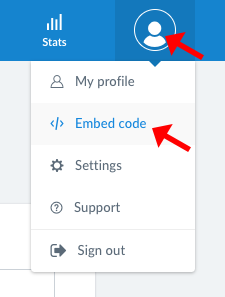
To get the embed code for your site/s, click the profile image in the top right hand corner, and select “Embed Code” from the drop down menu.
You will be given 3 options to add the embed code. Select Option 2 and copy the embed code.


To get the embed code for your site/s, click the profile image in the top right hand corner, and select “Embed Code” from the drop down menu.
You will be given 3 options to add the embed code. Select Option 2 and copy the embed code.